meta data for this page

N4V Panel - N4V SVG Tool
The Designer Extension
The Designer extension give the Webi designer the access to the N4V SVG Tool.
The Usage of N4V SVG Tool
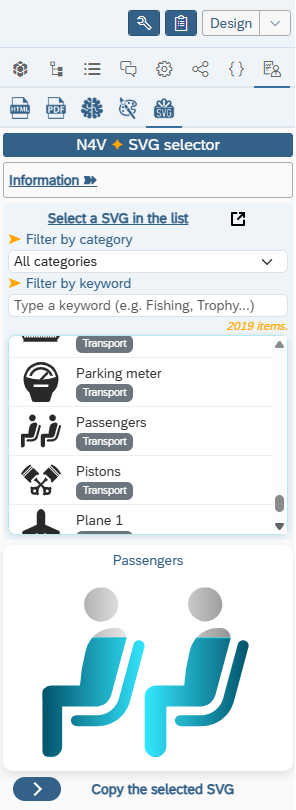
- Display the N4V SVG Tool in the N4V Panel.
- A list of 2000+ SVGs is proposed in a dropdown list (N4V Public library, this list will be regularly updated in each new release).
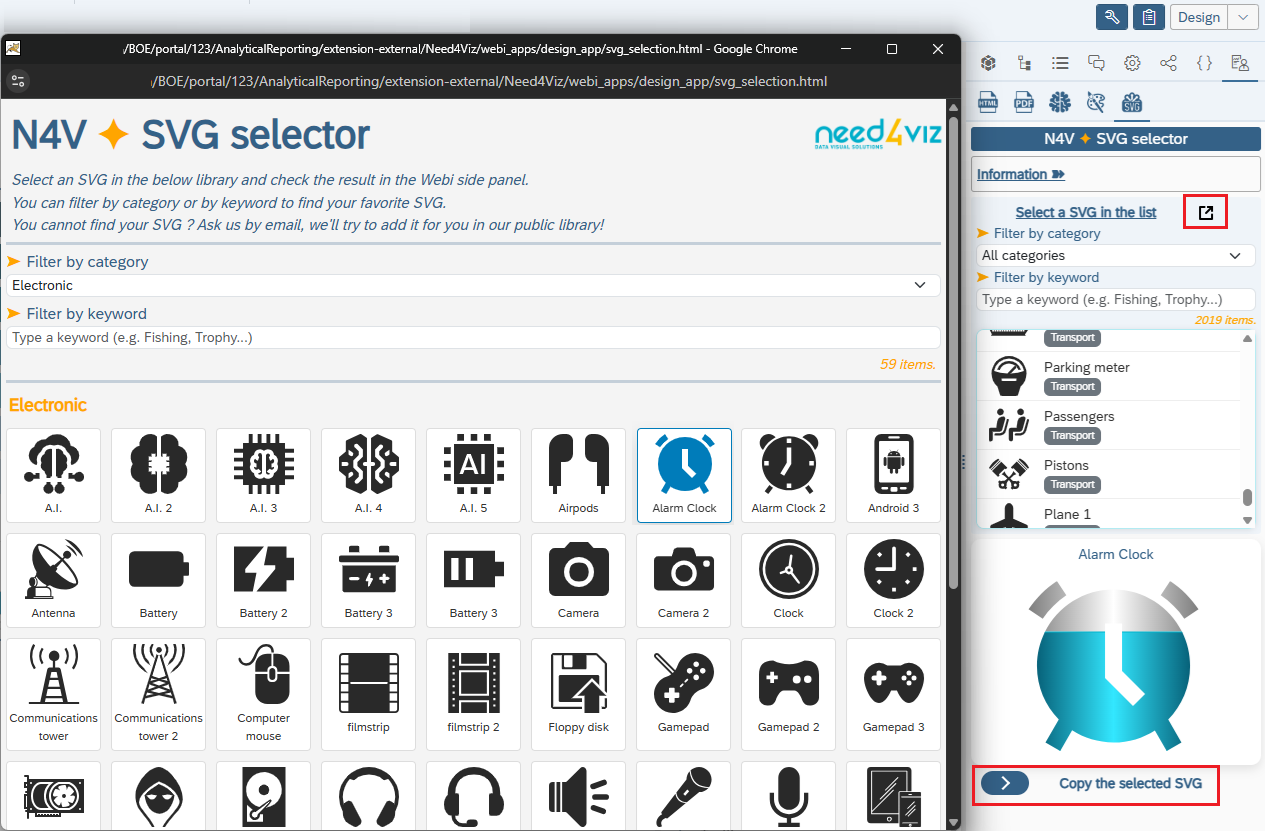
- You can select one of these SVG to apply it on your N4V element or you can use the N4V SVG tool by clicking on the “popup” button.
- SVGs are grouped in cartegories (you can filter the list by a category)
- You can also make a search by keywords (in English or French) to find the best SVG
- If you clic on the “popup” button, a separated window will open and display the full list of N4V SVGs library.
- You can use this palette tool to update an existing palette (the result will not be stored) or create a new palette.
- The window is still connected to Webi so the SVG selected in this window will be transmitted to the Webi panel and you'll can use it directly in the Webi report.
- Once you have choosen your palette, click on the “Copy” button.
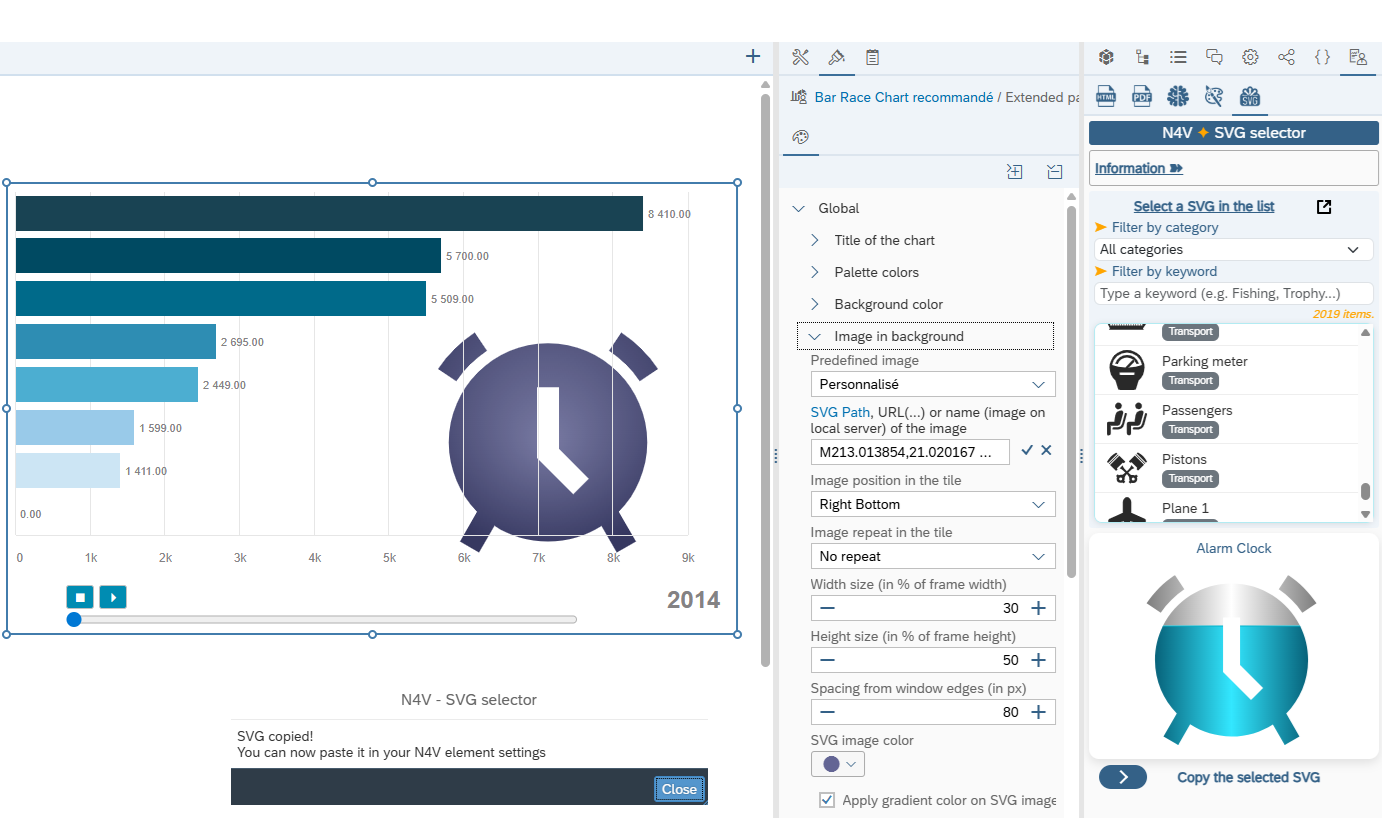
- A message is displayed to tell you you can use this copied palette into your N4V element.
- Open the Extended parameters of the N4V element you want to display the SVG.
- In Global/Image in background, paste the SVG previously copied in the related “Custom SVG” field and apply. You can change the size (width/height in percentage of the full chart, spacing for the borders) and the color of the SVG