Table of Contents

N4V Panel - N4V Palette Tool
The Designer Extension
The Designer extension give the Webi designer the access to the N4V Palette Tool.
The Usage of N4V Palette Tool
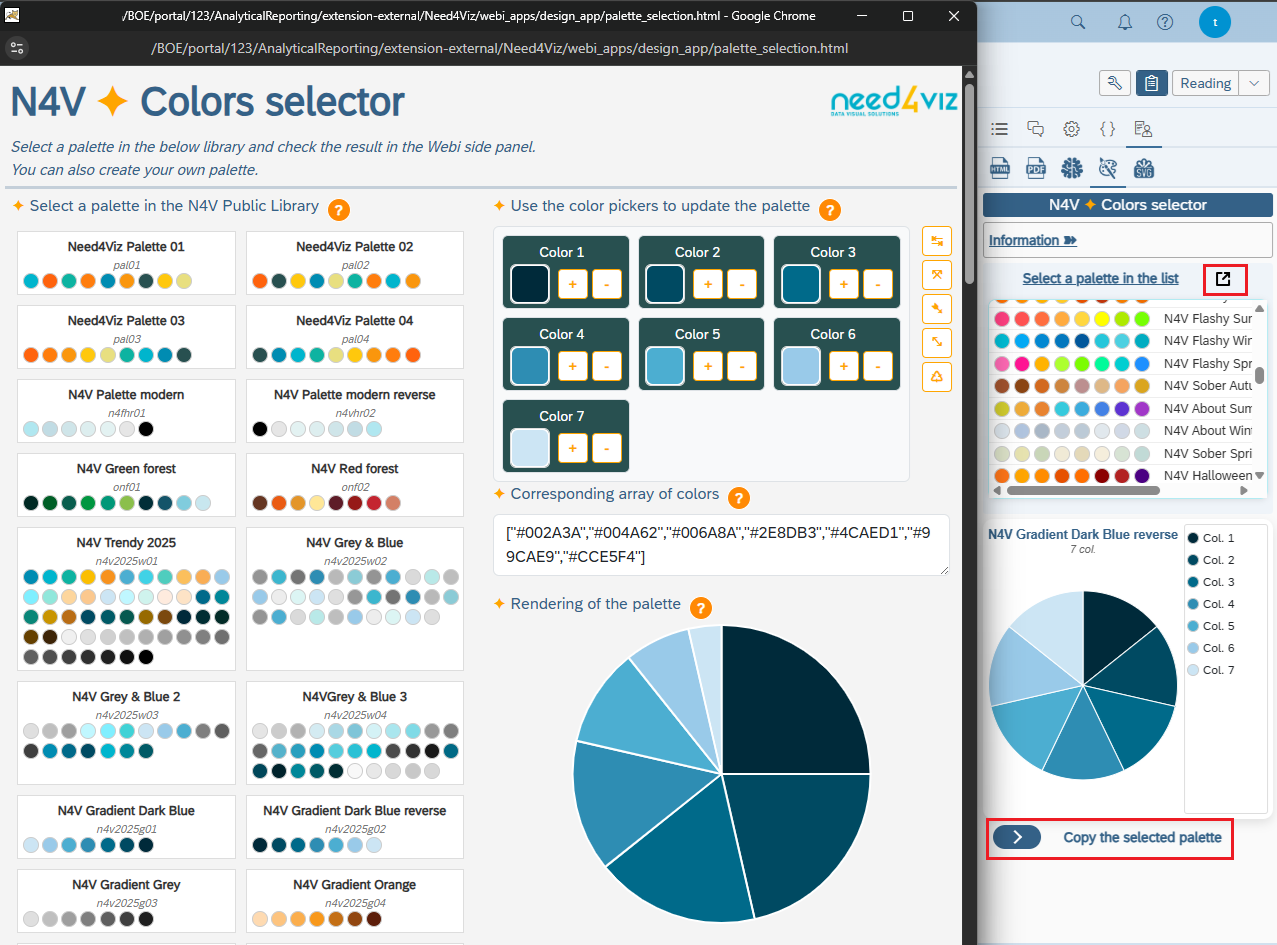
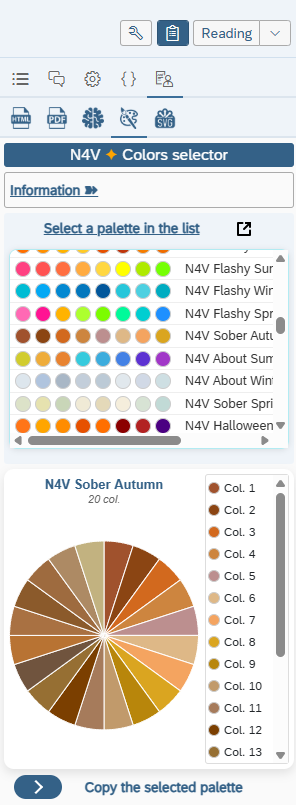
- Display the N4V Palette Tool in the N4V Panel.
- A list of 50+ palettes is proposed in a dropdown list (N4V Public library, this list will be regularly updated in each new release).
- You can select one of these palettes to apply it on your N4V element or you can use the N4V Palette tool by clicking on the “popup” button.
- If you clic on the “popup” button, a separated window will open and display the full N4V Palette library and a palette tool.
- You can use this palette tool to update an existing palette (the result will not be stored) or create a new palette.
- The window is still connected to Webi so the palette selected/updated/created in this window will be transmitted to the Webi panel and you'll can use it directly in the Webi report.
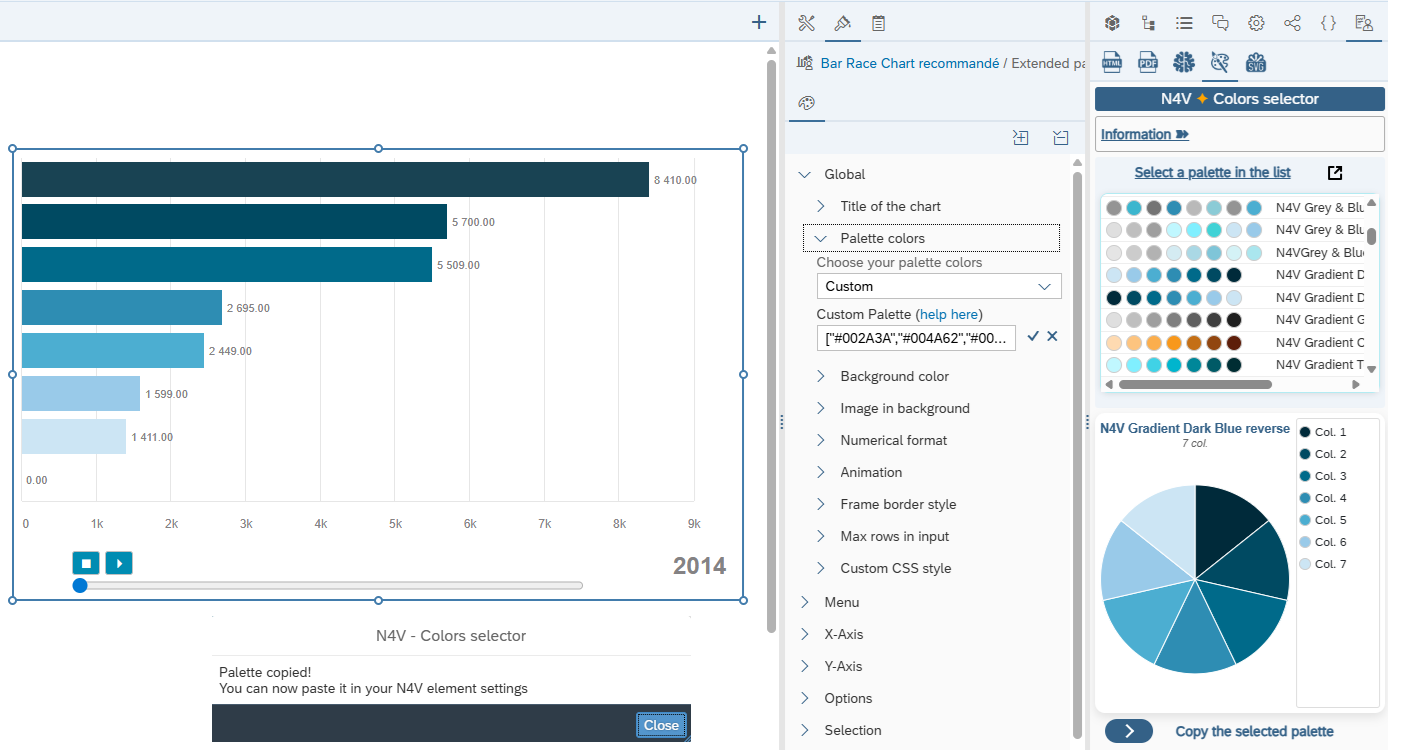
- Once you have choosen your palette, click on the “Copy” button.
- A message is displayed to tell you you can use this copied palette into your N4V element.
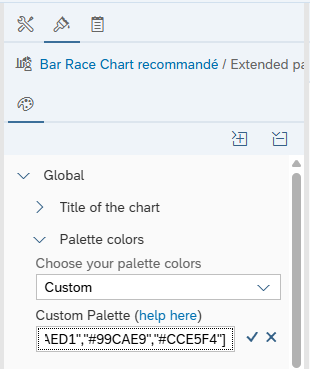
- Open the Extended parameters of the N4V element you want to change the palette.
- In Global/Palette select “Custom” at the bottom of the list, paste the palette previously copied in the related “Custom palette” field and apply.